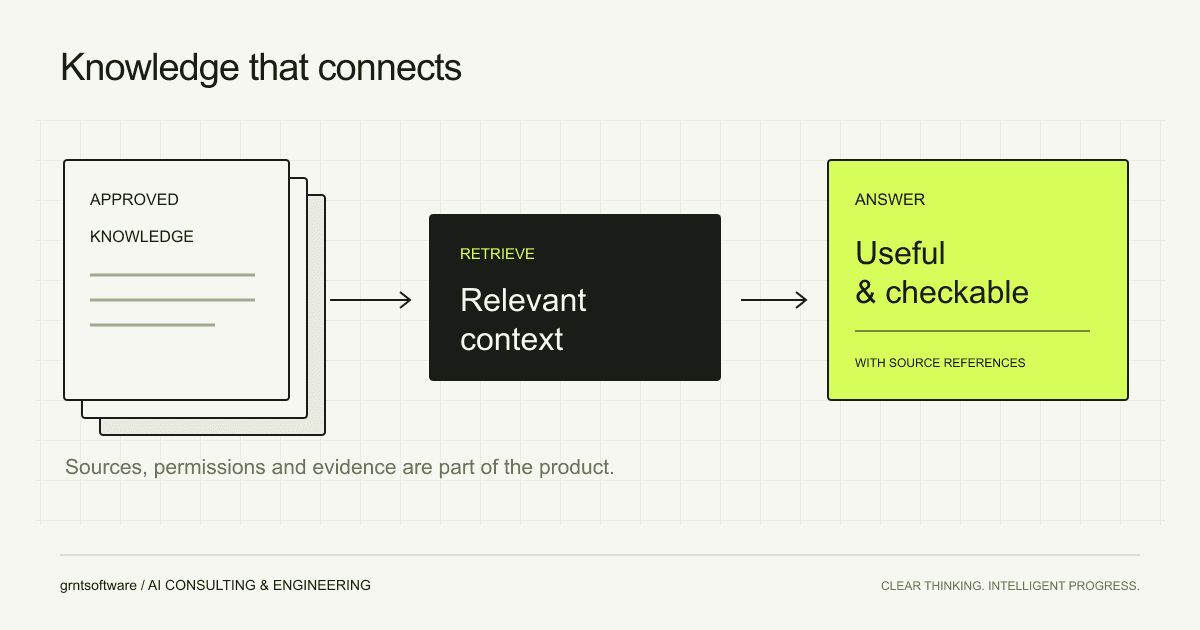
A business knowledge assistant is useful when it helps people find information they can check and act on. Retrieval-augmented generation, usually shortened to RAG, is one way to connect a language model to external information. The difficult design decisions begin before the chat interface.
Key takeaways
- Treat source quality and ownership as part of the product.
- Apply access controls when retrieving information, not just when displaying an answer.
- Evaluate retrieval and answers separately, including questions the system should decline.
1. Understand what RAG adds
In a RAG system, an application retrieves information relevant to a question and supplies it as context for a generated response. Microsoft’s Azure AI Search documentation describes this pattern as combining information retrieval with language generation. The retrieved material can come from a business’s own content.
Providing context does not establish that every answer is correct. The application still needs to retrieve appropriate evidence, handle contradictions and show users how to check the result. Treat the answer as a product of a whole information pipeline, rather than the model alone.
2. Start with a bounded set of maintained sources
Choose the documents that should answer the first set of questions. Assign an owner to each source collection and record when information is reviewed or replaced. Remove duplicate or superseded material where possible, and preserve enough metadata to identify the original document.
For a first pilot, an approved product handbook may be a more manageable scope than every document a company has ever stored. Expanding the collection should be a deliberate choice based on gaps found during evaluation.
- Record document titles, owners, versions and source locations.
- Decide how updates and deletions propagate to the search index.
- Preserve headings and context when splitting documents into searchable passages.
- Define a process for reporting an incorrect or out-of-date source.
3. Design retrieval around permissions
Decide which identity the assistant uses and which documents that identity may retrieve. Check access before protected content is included in a model request. Hiding a source link after generating an answer would not undo the disclosure of the underlying information.
Keep the permission model understandable to document owners. If access changes in the source system, define how that change reaches retrieval and how previously cached content is handled. Include these cases in the test plan.
4. Make the evidence part of the answer
Show which sources support the response and make those references usable. A citation should lead to the relevant document or passage, with enough context for a person to assess whether it supports the statement. Define what the assistant should do when sources disagree or do not contain the answer.
5. Test the search and the response independently
Build evaluation questions with the people who know the material. For each question, identify the expected source and the essential facts an answer should contain. Include ambiguous questions, permission boundaries and requests for information that does not exist in the collection.
First check whether retrieval found suitable passages. Then assess whether the response accurately reflects them. This separation helps distinguish a search problem from a generation problem and makes the next improvement more specific.
| Layer | What to inspect |
|---|---|
| Retrieval | Relevant evidence, source freshness and permission boundaries |
| Answer | Factual support, useful citations and appropriate uncertainty |
| User workflow | Ability to verify information and complete the original task |